



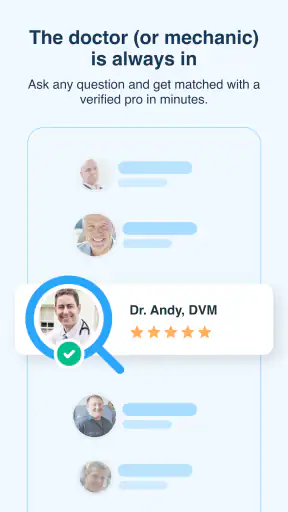
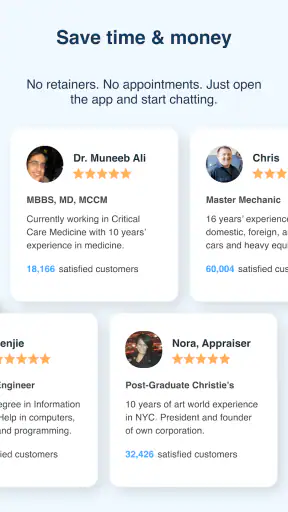
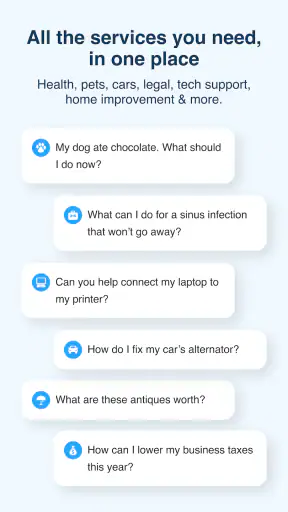
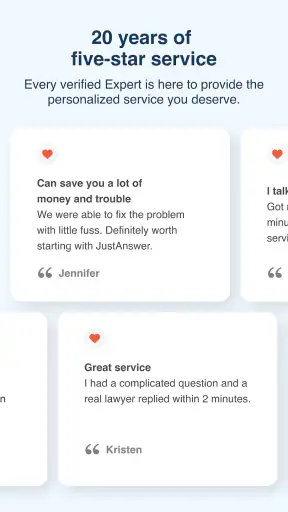
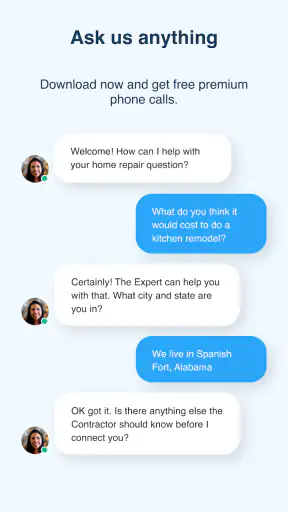
When a question cannot wait for a normal appointment, a repair-shop visit, or a long search through conflicting advice, JustAnswer: Ask for help, 24/7 takes a direct approach: it connects you with professionals through a mobile app. I reviewed it as a lifestyle app from JustAnswer, LLC, and its appeal is easy to understand. Instead of opening several tabs and trying to decide which answer sounds trustworthy, you can describe your situation and seek help from a doctor, lawyer, veterinarian, or another specialist.
That convenience is also where expectations need to be managed. This is not a replacement for emergency services, an in-person examination, a formal legal relationship, or hands-on technical work. I found it most useful as a way to organize a problem, ask focused questions, and get professional direction when the next step is unclear. It is less suitable when the issue requires physical inspection, immediate intervention, or a guaranteed outcome.
Where people usually get stuck
The first difficulty is often not the question itself but explaining it clearly. A short message such as “my dog is acting strange” or “I have a legal problem” leaves too much room for interpretation. The quality of the conversation depends heavily on the details you provide: what happened, when it started, what you already tried, and what result you need. I recommend writing a brief timeline before starting rather than typing the story in a rush.
A useful opening message has three parts. First, identify the subject and the immediate concern. Second, add the facts that could change the advice, such as age, location, symptoms, deadlines, or model information. Third, ask what you should do next. This approach makes the exchange more efficient and helps the professional focus on practical guidance instead of spending the first part of the conversation reconstructing the situation.
Another common sticking point is expecting every answer to be equally useful for every kind of problem. A remote conversation can be valuable for explaining options, interpreting general information, preparing for a visit, or deciding whether something deserves urgent attention. It is naturally weaker for problems that depend on touch, visual inspection, local records, physical testing, or access to a device, document, or animal.
That distinction matters especially in health and veterinary questions. A professional may help you recognize warning signs and choose a sensible next step, but a chat cannot perform an examination. If someone has severe symptoms, is in immediate danger, or needs urgent care, I would use local emergency services or an appropriate urgent-care provider rather than waiting for an app conversation.
The same caution applies to legal questions. A response can help you understand terminology, organize facts, and prepare questions for a local attorney. It should not encourage you to ignore a filing deadline or assume that general guidance automatically covers the laws of your jurisdiction. If a matter involves court action, arrest, eviction, immigration status, or another high-stakes deadline, I would treat the conversation as preparation, not as the only step.
Users can also get stuck by sending too much unstructured information. A long block of copied text, several unrelated questions, or a collection of screenshots without explanation can make the exchange harder to follow. I get better results by separating the main issue from background details and labeling each attachment or excerpt in plain language.
What to prepare before opening a conversation
Before using the app, I would gather the information a professional is likely to need. For a pet question, that may include the animal’s age, recent behavior, food, medication, and the exact time a symptom appeared. For a legal question, it may be the country or state, the relevant dates, the parties involved, and the wording of a notice. For a household or technology problem, write down the model, visible error, recent changes, and steps already attempted.
This preparation is more than a convenience. It reduces the chance that the conversation becomes a sequence of guesses. It also gives you a record of what you asked and what advice you received, which can be useful when speaking with a local professional afterward. I would still remove unnecessary personal details and avoid sharing sensitive information unless it is genuinely needed to explain the issue.
The app is free to install, and it is rated for Everyone, which makes the download approachable for a broad audience. That should not be confused with every conversation being free or every situation being appropriate for remote advice. I would read the in-app terms and any payment information carefully before committing to a service, especially if the question is likely to require extended assistance.
JustAnswer has an average rating of 3.7 from around 11 thousand ratings, with roughly 3.6 thousand written reviews. More than a million people have installed it, so it is clearly familiar to a substantial audience. I see those figures as evidence of reach rather than a promise that every user will have the same experience. The important question is whether your problem fits the strengths of an on-demand professional chat.
Setup checks that prevent avoidable frustration
After installing the current version, 2.3.16, I would begin with the simple checks that are easy to overlook. The app requires Android 8.0 or later, so an older phone may be the reason installation or updating fails. On a supported device, I would confirm that the app opens normally, the account details are correct, and the question can be written without losing information when switching between screens.
I also recommend checking the phone’s connection before assuming the service is unavailable. A weak mobile signal, congested public Wi-Fi, or a network that blocks certain traffic can interrupt a conversation. Switching between a reliable Wi-Fi connection and mobile data is a practical test. If the problem occurs only on one network, the app may not be the real cause.
Keeping the operating system and app version reasonably current is another sensible step. Updates can affect compatibility, sign-in behavior, and message delivery, even when the visible change seems minor. If an update is waiting, I would install it before spending time on more complicated troubleshooting.
Notifications deserve a quick look as well. If you are waiting for a response, a disabled notification setting can make the service appear silent even though the conversation is active. I would check the app’s notification permission, the phone’s battery-saving restrictions, and any focus or do-not-disturb mode. These settings vary by device, but the principle is the same: delayed alerts are not always delayed professional replies.
Storage and background restrictions can create similar confusion. A phone that is nearly full or aggressively closing background apps may behave unpredictably. Closing unused applications, restarting the device, and trying again are simple steps, but they are worthwhile before reinstalling anything. I would avoid clearing app data until I was sure I knew how to sign back in and recover the conversation.
Privacy is part of setup too. Before sending a photograph, document, or description, I would check whether it contains an address, account number, medical identifier, children’s information, or another person’s private details. Share only what is needed to answer the question. A cropped image or a summarized passage is often safer than sending an entire document.
Recovering a conversation when the workflow breaks
If a question seems to stall, I would first separate a technical failure from a normal delay in the conversation. Check whether the latest message appears in the thread, whether the connection is stable, and whether the app remains responsive. Reopening the app can help, but I would avoid repeatedly sending the same message because duplicate requests make the history harder to understand.
When the exchange resumes, a short status message is more useful than starting over. I might write, “The connection dropped after I sent the photo; the main issue is still the warning shown on the device,” followed by the missing detail. This gives the professional context without burying the original question under repeated text.
If the app closes unexpectedly, I would restart the phone and check for an available update before reinstalling. Reinstallation can be a last resort, but it may remove locally stored session information. Make sure you can access the same account first. I would also keep any important advice in a separate personal note, particularly when it concerns a deadline, medication question, or instructions that need to be shown to an in-person professional.
A useful recovery technique is to narrow the conversation to one decision. Instead of asking several new questions at once, state what you need to decide: whether to seek urgent care, which documents to gather, or what basic check to perform next. This makes it easier to identify whether the problem is a missing fact, a technical interruption, or a situation that cannot be resolved remotely.
There is a trade-off between speed and depth. A quick question may produce a useful direction, while a complicated matter may require follow-up and careful clarification. I would not judge the service solely by the first reply if the original message was vague. At the same time, I would not keep repeating the same information indefinitely. If the advice remains too general for the stakes involved, moving to a local specialist is the sensible recovery step.
When the app is not the cause
Sometimes the real issue is the situation itself. A legal answer may feel incomplete because the law depends on location and exact wording. A health answer may remain cautious because symptoms overlap across many conditions. A pet question may require an examination. A household problem may need a technician to see a sound, smell, leak, or physical fault. In these cases, the limits come from remote assessment rather than from the app.
It is also possible for the user’s goal to be mismatched with the service. If you need a prescription, a signed legal filing, a physical repair, a diagnosis based on testing, or immediate emergency treatment, an app conversation is only a supporting step. I would use it to prepare, not to postpone the appropriate professional service.
Compared with a search engine, the main advantage is the opportunity to explain context and ask follow-up questions. Search is faster for a simple definition or widely documented procedure, and it lets you compare many sources independently. Compared with a local clinic, law office, veterinarian, or repair professional, the app is more convenient for initial guidance but lacks the same physical access and local accountability.
Compared with a video call or an in-person appointment, text-based help can be easier when you need to describe a timeline or refer back to written instructions. It can also be less effective when visual or physical clues are central. My practical rule is simple: use JustAnswer for orientation and preparation when the problem can be explained clearly in words, and choose a direct local service when observation, testing, treatment, or formal representation is required.
Another trade-off is emotional reassurance. Getting a response from a professional can reduce uncertainty, but reassurance should not become a reason to ignore worsening symptoms or new evidence. I would treat any advice as part of a decision process: compare it with the facts, watch for changes, and escalate when the situation calls for it.
Who will get the most value from it
I think the app suits people who have a specific question and need help deciding what to do next. It can be particularly practical for a parent trying to understand whether a child’s issue deserves a call to a clinician, a pet owner preparing for a veterinary visit, a tenant organizing a question about a notice, or a homeowner trying to describe a problem before calling a tradesperson.
One realistic example would be a dog owner who notices a new behavior late in the evening. Instead of searching generic symptom pages, the owner can prepare the dog’s age, recent food, behavior changes, and timing, then ask what details matter and whether the situation sounds urgent. The conversation does not replace a veterinarian, but it can help the owner avoid both panic and careless delay.
I would recommend a different route for someone who dislikes online conversations, needs a guaranteed local appointment, or expects the app to solve a problem without active participation. It is also not the right first choice for emergencies or for matters where a professional must physically inspect something. People who need a formal ongoing relationship with a doctor, lawyer, or other specialist should contact that specialist directly.
My practical verdict after using its approach
The strongest use of JustAnswer is turning uncertainty into a clear next step. Its value depends less on flashy presentation and more on whether you arrive with a focused question, the right context, and realistic expectations. The service can save time when searching has become confusing, especially when you need to ask follow-up questions rather than read disconnected pages.
I appreciate that it brings several kinds of professional guidance into one lifestyle app, and the broad availability makes it convenient for questions that appear outside normal routines. The developer, JustAnswer, LLC, has built a recognizable destination for people who want to ask for help from a phone rather than begin with several separate services.
Still, I would not use it as a substitute for emergency care, an examination, local legal representation, or hands-on repair. The most important preparation is to verify your Android version, connection, notifications, account access, and the details of the question before blaming the app for a poor experience. If a conversation breaks, recover it with a concise update instead of duplicating messages, and keep important guidance somewhere you can review later.
For me, the app earns a recommendation as a first layer of professional guidance, not as the final authority in every situation. It is free to download, available for a wide audience, and useful when the next move is unclear. I would install it for practical questions that benefit from context and follow-up, while choosing a local or emergency option whenever the situation demands direct care, physical evidence, or formal action.


